Room settings the host can change
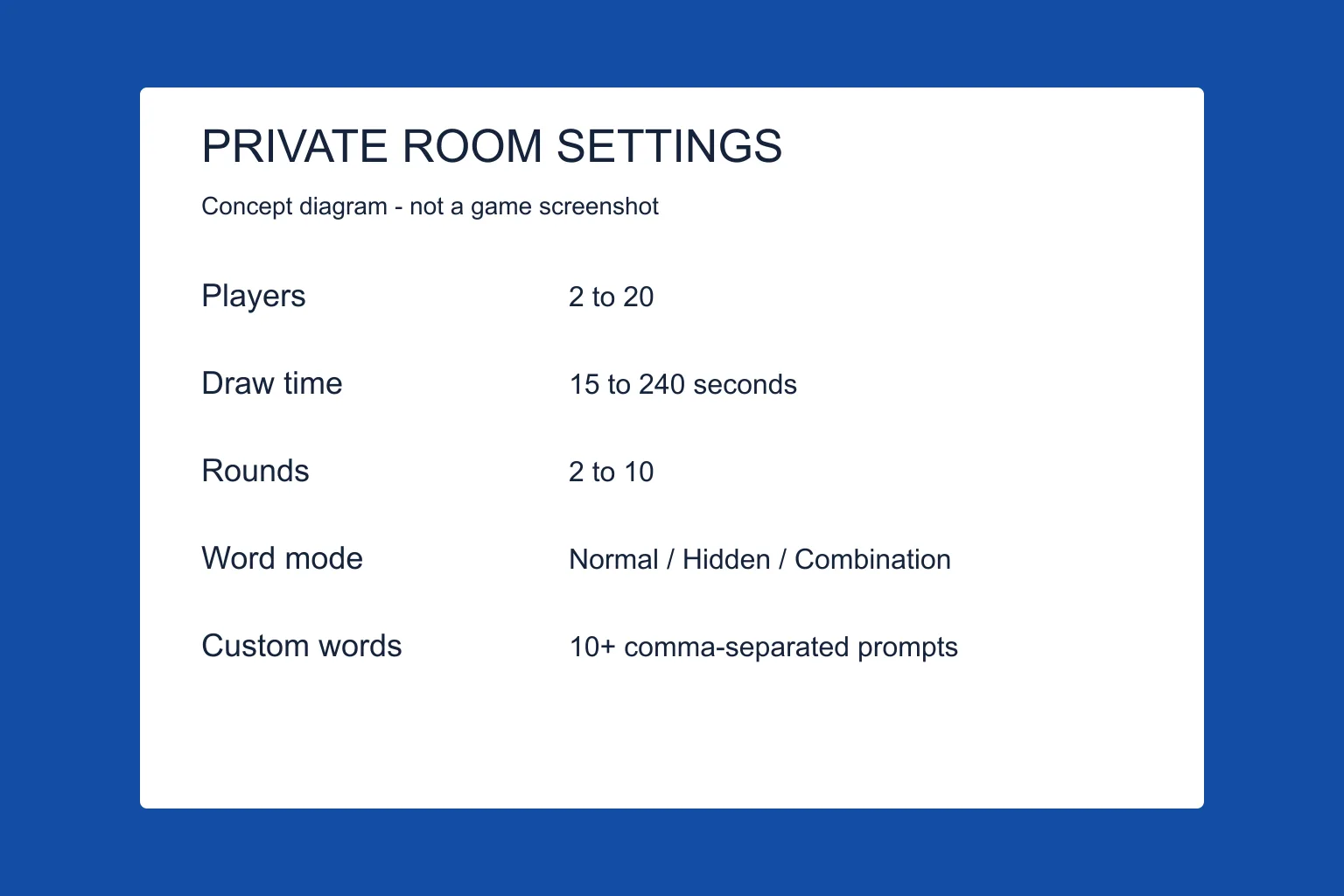
The host can configure players, time, rounds, and prompts. The ranges below describe published controls, while public-room defaults come from the community wiki.
Research notes
Published host settings
Language has 28 word-language entries, listed on the languages page. Word mode is Normal, Hidden, or Combination. Word count is how many choices the drawer sees, from 1 to 5. Hints can be set from 0 to 5.
Custom words and the Use custom words only checkbox live in the same panel. The client reports that starting requires at least two players.
| Setting | Range |
|---|---|
| Visibility | Public or Private |
| Name | Host-entered room name |
| Players | 2–20 |
| Draw time | 15–240 seconds; discrete choices above |
| Rounds | 2–10 |
| Language | 28 prompt-vocabulary options |
| Word mode | Normal, Hidden, Combination |
| Word count | 1–5 |
| Hints | 0–5 |
| Custom words | Comma-separated prompts; input rules on the custom-words page |
| Use custom words only | Exclude built-in prompts when enabled |
Questions
What is the public-room default?
Fandom describes public rooms as 8 players, 80 seconds, 3 rounds, and normal mode. The host of a private room can leave those defaults.
Can I turn hints off?
Yes. Hints can be 0.
More in this topic
Sources
- skribbl.io — Official rules, dated News, room word-language menu, and custom-word input. Checked 13 October 2026; not a gameplay test.
- skribbl.io client (game.js) — Client UI and error messages, not server-side guarantees. Its 10,000-character translation conflicts with the 20,000-character homepage input.
- Fandom Server — Community description of public-room defaults; not a promise about every active room.